How to Use Emergency SOS via Satellite on iPhone
With iPhone 14 or later, you can text emergency services by satellite when you have no cell or Wi-Fi signal. Set up Medical ID and emergency contacts first, try the demo and know the limits before you need it.
🖨 Print this how-to One-page checklist, no ads.
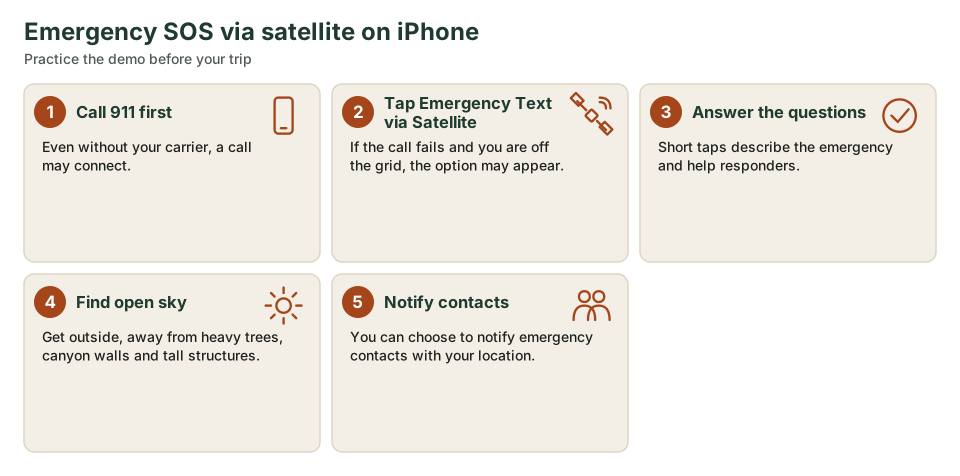
Quick answer: Try calling 911 first. If the call cannot connect and you have no cellular or Wi-Fi coverage, your iPhone 14 or later may offer Emergency Text via Satellite. Go outside with a clear view of the sky and horizon, answer the questions and follow the on-screen pointing instructions.
Set up Medical ID and emergency contacts at home. You cannot fix that in the canyon.
Before you go
Apple says Emergency SOS via satellite works on iPhone 14 or later (all models). Update iOS, set up Medical ID and emergency contacts in the Health app and use the satellite connection demo in Settings so you know how pointing works. Apple says the service is free for two years after activating an iPhone 14 or later.
How it works in an emergency
Apple's support page says to try calling emergency services first. If you cannot connect because you have no cell or Wi-Fi coverage, you can text emergency services via satellite. You answer an emergency questionnaire, can choose to notify emergency contacts and then follow the instructions to connect. Your iPhone shares information such as your Medical ID (if set), the questionnaire, your location including elevation and battery level.
Limits
Apple notes a message may take 30 seconds or more in ideal conditions and longer under light trees. Heavy foliage, hills, canyons and tall structures may block it. Satellite connectivity may not work above 62° latitude. It is a last-resort emergency link, not a guarantee, and it is not a substitute for a trip plan.
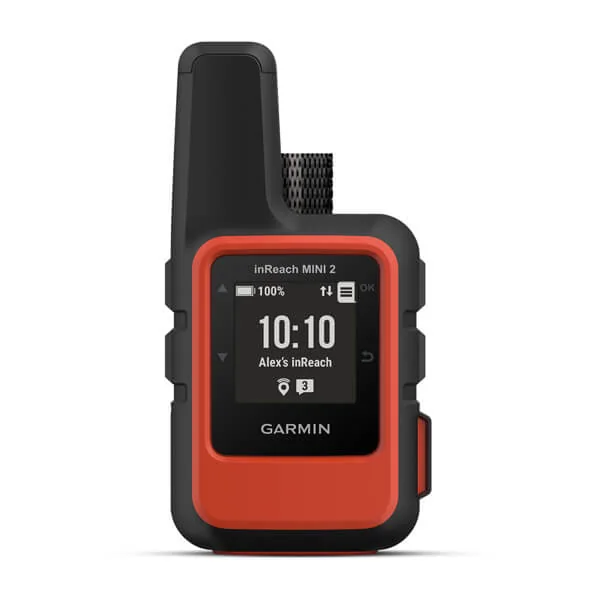
Garmin inReach Mini 2
A pocket satellite communicator for two-way messaging, location sharing and interactive SOS where there's no cell service.
- Messaging
- Two-way text via satellite
- Emergency
- Interactive SOS
- Navigation
- TracBack routing, digital compass
- Service
- Active satellite subscription required
Printable checklist: iPhone satellite SOS
- iPhone 14 or later, updated iOS
- Medical ID and emergency contacts set up
- Satellite demo tried at home
- Power bank packed
- Trip plan left with a person, not just the phone
Frequently asked questions
Does Emergency SOS via satellite need cell service?
No. It is for when you cannot connect through cellular or Wi-Fi. You do need a compatible iPhone and a clear view of the sky.
Can I text family by satellite?
Apple offers some satellite messaging features on supported models and regions. Emergency SOS is the emergency-services path; check Apple's current support pages for other features.
Is it free?
Apple says it is included for two years after activation of an iPhone 14 or later. Check Apple for current terms after that.